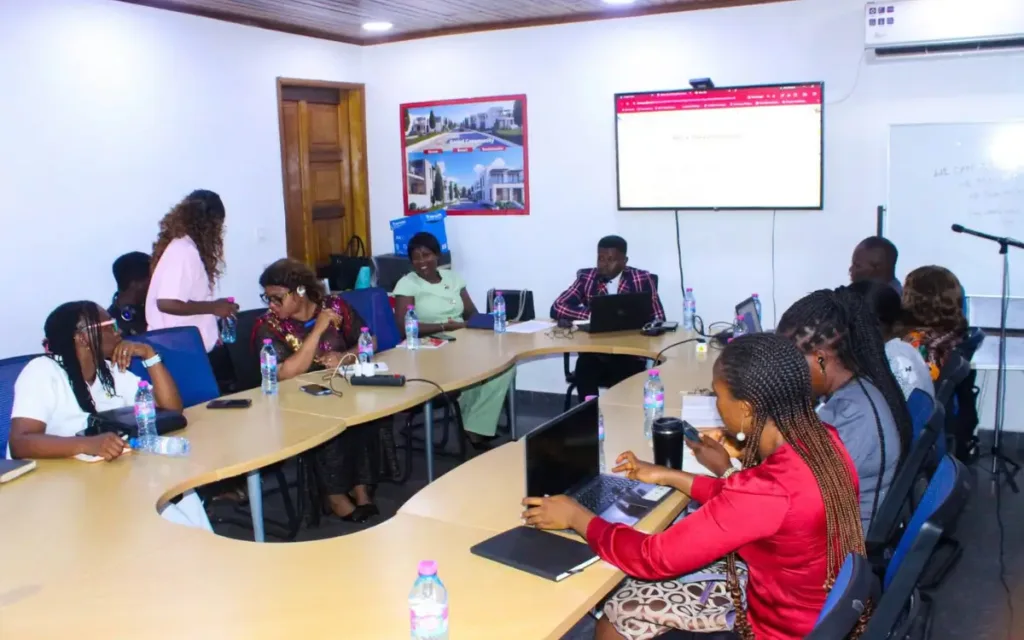
On September 15, 2026, Lami Godlove Digital (LGD) hosted a hands-on Facebook Ads Mastermind in Douala for John-Etta Family Capital Soldiers – a community of like-minded Cameroonian small business owners, bringing together entrepreneurs selling everything from event decor to baby shower packages, clothing, real estate, medical practitioners, journalists, and some working in the United Nations to sit down, open their laptops and phones, and build real, working Meta ad campaigns from scratch, live, in the room.
This wasn’t a slide deck. It was a full working session: Business Portfolios created from zero, real ad accounts configured, real budgets set, and real ads scheduled to go live, all before anyone left the room. This article walks through exactly how the day unfolded, the mistakes we caught in real time, and the results that were already coming in within 24 hours.
Why We Started With a Hard Truth: “Boosting” Doesn’t Lead to Sales

Before touching any settings, the session opened with the single most common mistake small business owners make when running Facebook Ads: clicking the nice blue “Boost” button on a post.
As the trainer, Lami Godlove explained to the room, boosting a post from a phone or laptop might get likes, comments, and shares, but it almost never leads to sales. That’s because a boosted post never taps into Meta’s actual targeting engine; the deep behavioral data Facebook holds on every user’s interests, based on what they scroll past and what they stop to engage with. A properly structured campaign, built through Meta Ads Manager rather than a boost button, is what actually puts an offer in front of people who are likely to buy.
That distinction set the tone for the entire day: everything from here was going to be built the right way, from the ground up.
Setting Up the Foundation: Business Portfolio, Pages & Instagram
Rather than demonstrate on an account that was already fully configured, Lami used a volunteer attendee’s fresh Facebook profile to show the actual first-time setup experience, the exact screens and decisions every business owner in the room would face on their own.
In the course of the setup process, some attendees came to the realiation that they already had all of these setup but couldn’t know how access and have full control over it. And the worse part, one attendee realised, she wasn’t the admin of her own page, rather and luckily for her, her husband was the admin with full access, which we now walked her through on how to also have full control of her account as an admin.
And regreatbly, this is the reality of most Facebook owners. Some don’t even remember their login details, no 2FA setup, and so on.
The walkthrough covered:
- – Navigating to business.facebook.com to access Meta Business Suite
- – The difference between a Business Portfolio that’s already configured and one starting from zero
- – Creating and discovering Facebook Pages, including a genuinely useful moment where an attendee realized they already had a Page they didn’t know existed
- – Connecting Instagram to a Facebook Page, and the distinction between linking a personal Instagram profile versus creating a dedicated Instagram Business or Creator profile is recommended specifically for anyone treating their page as a real business asset rather than a personal account
Creating the Fcebook Ad Account and the One Setting You Can Never Undo
This is where the session delivered its first hard-won lesson: once you set your ad account’s time zone and currency, you cannot change them again. Ever.
Lami Godlove the trainer walked the room through the three ways to get an ad account
1. Create a new one from scratch
2. Add an existing ad account you already own
3. Request access to a business portfolio you don’t own, the correct method for anyone (like an agency) managing ads on behalf of someone else’s business
One question came up that’s worth settling here for good: “does choosing US Dollars over CFA francs save you money on ad spend?” No! Meta’s exchange rate adjusts in real time, spend that shows as $10 USD would show as the CFA-equivalent of roughly $18 in Canadian dollars, or any other currency, for the exact same actual cost. Currency choice is about convenience and reporting clarity, not savings.
Managing Access the Right Way
A recurring real-world problem surfaced during the workshop: several attendees didn’t have “full control” over their own business Page, often because someone else had originally created it. Lami Godlove used this as a live teaching moment, walking through:
- – On your Facebook page go to: Settings & Privacy → search “access” → Page Access, where you invite people and assign either full control or partial access
- – The distinction between a Page and a Business Portfolio; a Portfolio is the container that holds your Page, your Ad Account, Instagram, WhatsApp, and Meta Pixel all in one place, not a single asset itself
For any business owner who’s ever hit a wall trying to run ads on a page they technically don’t have admin rights to, this section alone was worth the room’s attention.
Meta Pixel: Making Every Website Visit Count
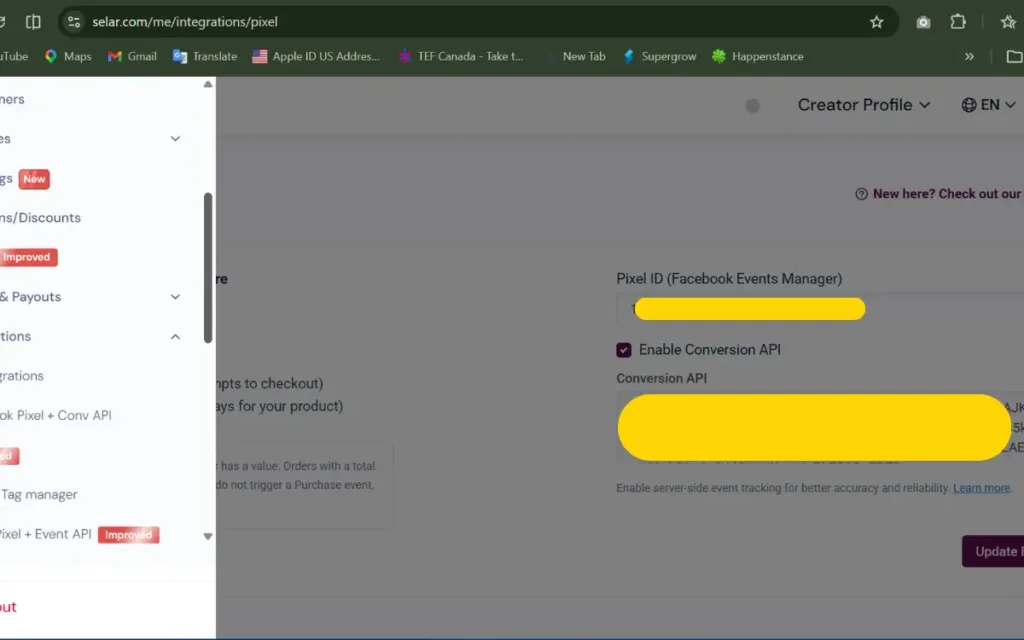
For attendees running online stores, including several using Selar for digital product sales, the session covered how to set up a Meta Pixel (referred to in the room as a “measuring ID”): a small piece of tracking code that teaches Meta’s algorithm who actually converts on your website, not just who clicks the ad.
Practical steps covered:
- – Creating a Pixel under Business Settings → Data Sources
- – Copying the Pixel ID from Meta Events Manager and adding it to your Selar store through the integration interface.
- – For WordPress sites specifically: installing the official Meta/Facebook plugin and pasting the same measurement ID in of using a plugin like PixelYourSite
- – Double-checking that the Pixel is linked to the correct ad account, a step Lami had the room manually verify digit-by-digit, since a mismatched Pixel silently breaks your tracking with no obvious error message
Building Real Campaigns for Real Businesses
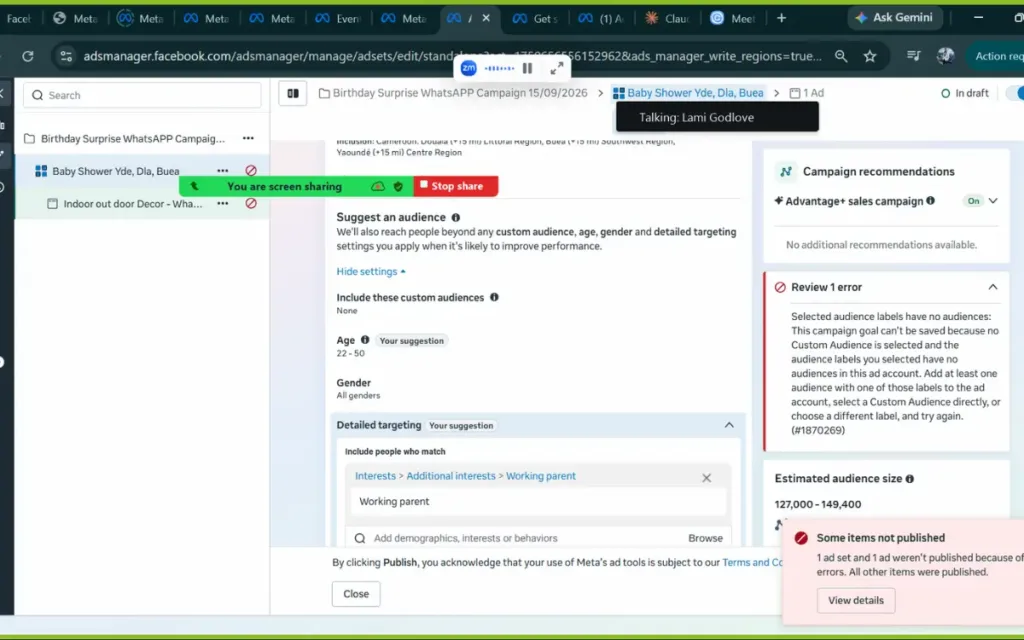
This is where the workshop stopped being generic and became genuinely useful because every Facebook Ads campaign built in the room was for an actual attendee’s actual business. Two examples stood out:
- – A baby shower business selling indoor and outdoor decor called Fancy Surpise, where the group worked through defining exactly who attends a baby shower, what they eat, what they’re shopping for refining a vague audience into something specific enough for Meta’s algorithm to actually learn from
Fancy Surprise, used to demonstrate the full ad set build from location and interest targeting through to ad copy.
- – A local clothing brand selling children’s wear.
The lesson underneath both examples:
“The more specific you are, the better you train your ad.”
A vague audience gives Meta nothing to learn from; a specific one gives it a real signal to optimize against.
The Dimension Rule Nobody Tells You
One of the most practically useful moments of the day had nothing to do with Ads Manager directly, it was a workflow tip for creative production:
Ask ChatGPT for the exact required dimensions for a Facebook or Instagram video ad, then take those dimensions straight into Canva or CapCut to resize your creative before uploading it.
Skip this step, and Meta will crop your video or image to fit, often leading to cutting off exactly the part of the creative you wanted people to see. Lami Godlove demonstrated this live: a video without the correct aspect ratio triggered Meta’s automatic crop warning in real time, giving the room a direct, visual reason to care about getting dimensions right upfront.
Recommended dimensions; 1:1 and 9:16
The Budget Mistake That Almost Happened
Perhaps the most valuable warning of the entire day: It is dangerously easy to set a budget of $2 per day and accidentally publish an ad at $20 per day. Instead a simple decimal or field-entry slip that Ads Manager won’t necessarily flag for you.
Lami’s rule, delivered directly to the room: before publishing anything, go back and do a full manual checklist and confirm the budget field actually shows what you intended, confirm the start date, confirm the targeting, because once an ad is live, that verification step is the only thing standing between you and your money.
Seeing Your Ad Everywhere: The Placement Preview
Once a campaign was fully built, the room got to see exactly where their ad would actually appear using Meta’s Ad Preview tool; cycling through Facebook Feed, Instagram Feed, Instagram Stories, Facebook Stories, Facebook Marketplace, Reels, and even push notifications.
This was a deliberate contrast to the “boost a post” trap from the start of the session: a boosted post from a phone simply cannot reach most of these placements. A properly built campaign, configured through a laptop and Ads Manager, unlocks all of them from a single setup.
What Happens After Day 30? Extending or Ending a Campaign
A great question from the floor:
“What do you do once a 30-day campaign ends and it’s working well?”
Two clear strategies were shared:
1. Edit the existing ad set, go into the ad, extend the end date, and adjust the budget upward if you want to scale
2. Run on a lifetime budget from the start, so ending the campaign is as simple as a single toggle whenever you’re ready
Results That Speak for Themselves
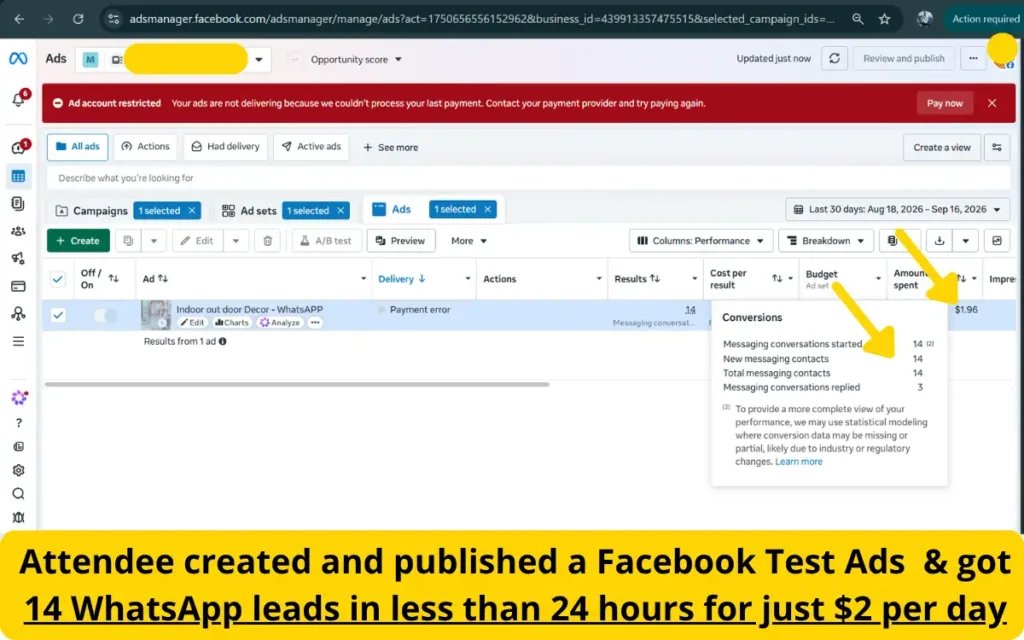
The proof of this workshop isn’t just in the recordings, it’s in what happened afterward. One attendee’s ad set generated 14 new WhatsApp leads in under 24 hours, at a total ad spend of just $1.96 (roughly 1,175 FCFA), a genuinely remarkable cost-per-lead for a first-time campaign built by someone who had never run a Facebook ad before that day.
A Room Full of Recognition
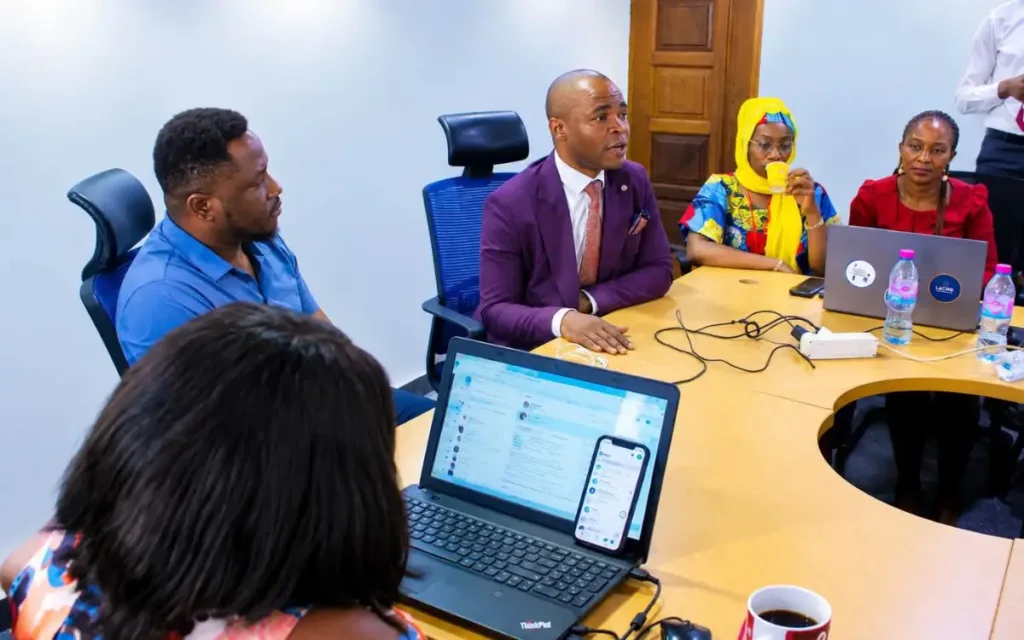
Partway through the closing session, John Etta, the John-Etta Family Capital (JFC) General who organised this event and a guest visitor Mr. Ngala Boris joined the room and, before any introduction was made, recognized Lami Godlove by name and reputation — referencing a prior connection through LA Business TV’s delegation from Limbe to BB Incubator in Bonaberi, Douala for a strategic business alliance. It’s the kind of unplanned, organic moment that speaks to the reach Lami Godlove Digital (LGD) has already built in Douala’s business community.
What’s Next After the Facebook Ads Mastermind in Douala
The full raw screen recordings from every demo in this Mastermind are already available to attendees; venue internet had a few brief interruptions during filming and the non active time to review attendees works made the recordings unnecessarily long, so a clean, one-hour, uninterrupted recording is being produced for wider release, with pre-launch, member, and public pricing tiers.
Want hands-on training like this for your own team? Visit academy.lamigodlovedigital.com to see what’s currently open, or reach out directly to Lami Godlove Digital to discuss a private Mastermind session for your business or community.
Lami Godlove Digital (LGD) is a full-service digital marketing agency based in Cameroon, operating across Yaoundé, Limbe, and Douala – offering Meta Ads management, SEO, web development, copywriting, and hands-on digital training through the LGD Academy.
